Download TGSignalBridge Trial

Download the latest trial build and start testing Telegram signal automation with Pocket Option execution, payout filters, Martingale control, and live trade monitoring.

Read Documentation
Platform Windows desktop application
Distribution GitHub Releases official download link
Recommended setup Test in Demo mode first before using a Real account
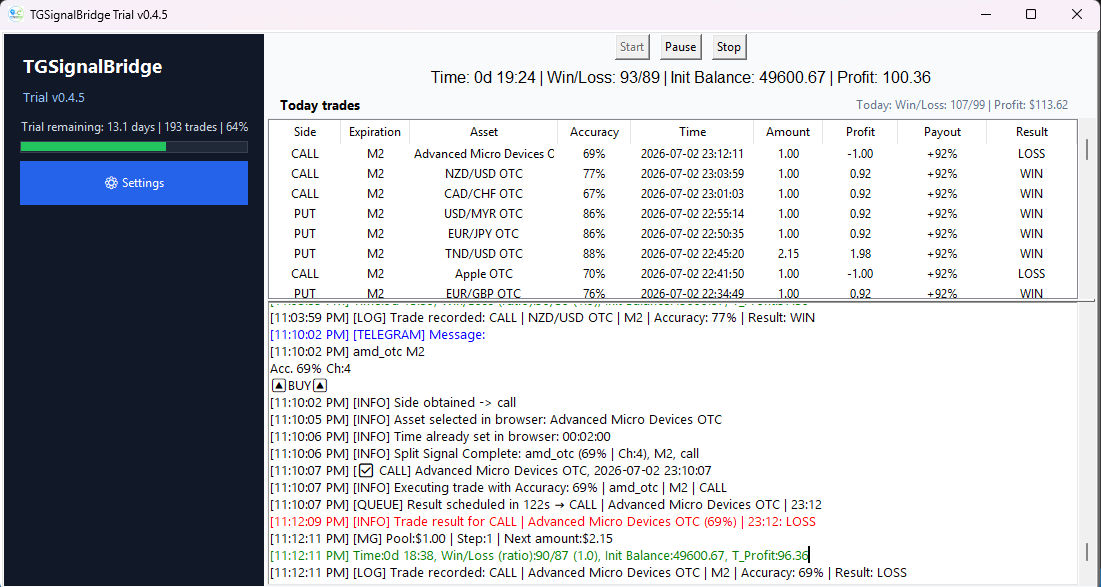
TGSignalBridge application preview

Windows Notice

Since TGSignalBridge is a new application, Windows or certain browsers may display a security warning the first time it is downloaded or run.

Downloading via web browser

Some browsers, such as MS Edge, may display a security warning during the download.

"TGSignalBridge_Trial.exe is not commonly downloaded. Make sure you trust TGSignalBridge_Trial.exe before opening it."

If this happens:

  1. Click '...'.
  2. Click 'Keep' or 'Keep anyway'.

Windows SmartScreen

Windows SmartScreen may display a security warning the first time you run the application.

If this happens:

  1. Click More info.
  2. Click Run anyway.

TGSignalBridge does not require administrator privileges and does not install background services.

Before You Run It

  • Install Telegram Desktop.
  • Install Google Chrome.
  • Use the matching ChromeDriver version for your browser.
  • Keep the bot files together in the same working folder.

Need help with setup? Open the Documentation page for the full installation and configuration guide.